PDF to MusicXML
Convert PDF sheet music to MusicXML.
Read from the page, not guessed from pixels.
For PDFs exported from notation software. Scans and photos aren’t supported.
Ready to upload
Uploading your score
Keep this page open until it’s done.
Checking your PDFs
Your score is uploaded
We’ll email you at when it’s ready, usually within 12 hours.
Your scoresThat didn’t go through
Only you can see your scores
Hear the notes read from the page.
Pachelbel’s Canon, read from its PDF. Play it and follow the notes, with the PDF page beside them.
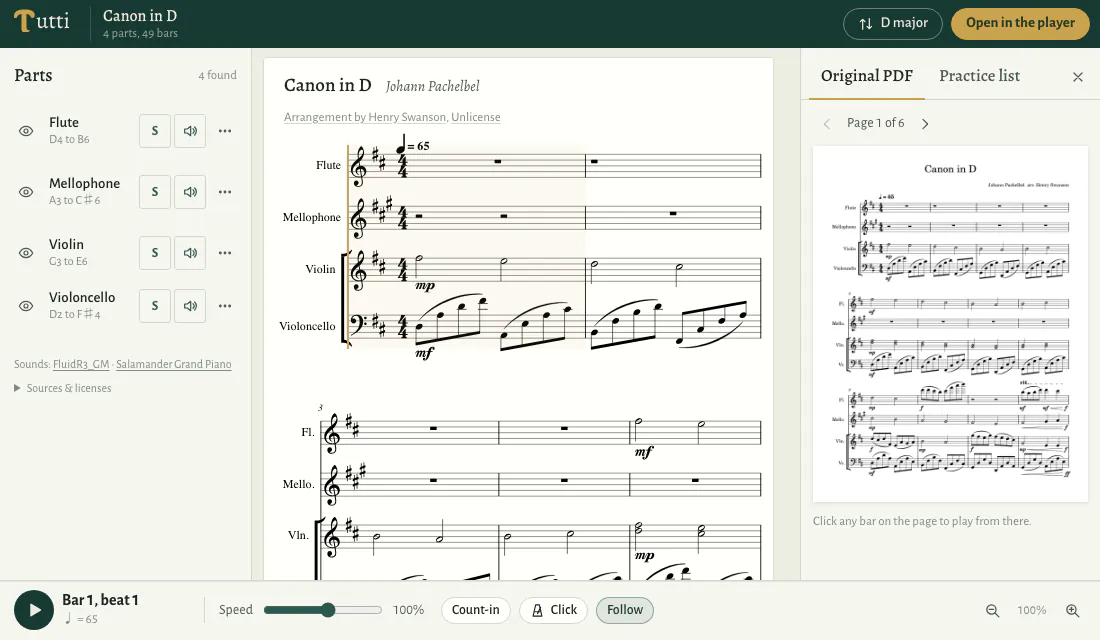
The notes are already in your PDF.
Read, not recognised
Notation software draws every note into the PDF it exports. Tutti reads those notes directly, so the pitches and rhythms come from the file itself, not from image recognition.
Unsure? You’ll know where
When something on the page can be read more than one way, it is marked for you to check instead of being quietly guessed.
Which PDFs it reads.
- Sibelius, MuseScore, Dorico and Finale exports all work.
- How to export a PDF from each program, and how to tell an export from a scan.
- PDFs from other notation software can be uploaded too. If we can’t prepare one, we’ll email you to say so.
- A PDF printed from notation software works when the music is still saved as text and font characters.
- Guitar parts open, but fingerings, string numbers and some guitar markings may not come out right yet.
- Scans, photos and handwritten pages are not supported.
Check it before you rely on it.
Listen first
Before you export, play the score in Tutti with your PDF beside it. A wrong note is easier to hear than to find by reading.
Then check it in your notation software
MusicXML is editable notation, not a copy of the page layout. Open it, compare it with your PDF, and correct any notes or markings that need it.
Open it where you work.
Your notation software
MusicXML opens in Sibelius, Dorico, MuseScore and Finale, and in other programs that import MusicXML.
All of it, or just what you need
Export the score as you see it, only the bars and parts you selected, or the passages on your practice list. Transposition and rewritten parts come with it.
Comparing converters for other kinds of PDF? Read Best PDF to MusicXML Converters (2026).
Questions about PDF to MusicXML.
Which PDFs can I convert?
PDFs exported from notation software, such as Sibelius, MuseScore, Dorico or Finale, or printed from it with the music still saved as text and font characters. Scans, photos and handwritten pages are not supported. If we can’t prepare your PDF, we’ll email you to say so.
Will the MusicXML look exactly like my PDF?
No. MusicXML is editable notation, not a copy of the page layout. Your notation software lays it out again, and some notes or markings may need correcting.
Can I export only part of the score?
Yes. Select bars and parts and export the selection, or export the passages on your practice list.
How are exports counted?
The first time you export a score, as MusicXML, MIDI or a print, you choose which of its pages to unlock; each uses one page. Covers and other pages without music aren’t counted. The export holds the bars on the pages you’ve unlocked, and exporting them again uses none. A few scores unlock as a whole.
What if my PDF is a scan?
Tutti can’t read it: a scan holds only a picture of the music. The converter guide lists tools that recognise scanned pages.
More ways to use a PDF score.
- PDF Sheet Music Player
Hear a PDF score and follow it on the page.
- Transpose PDF Sheet Music
Move a PDF score to another key.
- PDF to MIDI
Take a PDF score into your DAW.